Categories
Best For
Pricing
Platform
Developer
Overall Rating
About Gemini Notebook
NotebookLM is an experimental product from Google that reimagines note-taking by grounding an AI assistant in your specific sources. Unlike general-purpose chatbots, NotebookLM limits its knowledge to the documents you upload—such as PDFs, Google Docs, or website URLs—ensuring that responses are accurate, relevant, and verifiable through inline citations. It acts as a collaborative partner for deep learning and complex research projects.
Users can interact with their data in various ways: generating summaries, creating study guides, or asking specific questions about their content. A standout feature is the 'Audio Overview,' which transforms written documents into engaging, podcast-style conversations between two AI hosts, making it easier to absorb information on the go. The platform supports a massive volume of data, with professional tiers allowing up to 600 sources per notebook.
Designed for students, researchers, and business professionals, NotebookLM simplifies the process of connecting the dots across disparate pieces of information. It ensures data privacy by not using your personal notebook data to train its global models, and it offers specialized enterprise-grade security for corporate environments.
Key Features
- Source-grounded AI responses with precise inline citations for verification.,
- Audio Overviews that convert documents into interactive podcast-style audio.,
- Video Overviews for visual explanation of complex internal processes.,
- Multi-source analysis supporting up to 50 sources on the free tier.,
- Automated generation of study aids like flashcards, FAQs, and reports.,
- Shared notebooks for collaborative research and organizational knowledge bases.,
- Integration with Google Workspace tools including Drive and Docs.
Use Cases
- Students uploading textbooks and lecture notes to generate flashcards and study recaps.,
- Researchers synthesizing hundreds of papers to identify trends and write literature reviews.,
- Sales professionals uploading product specs and transcripts to prep for pitches.,
- Corporate teams centralizing SOPs and manuals for easier internal onboarding.,
- Content creators turning long-form blog posts into infographics and social media assets.
How to Use
- Create a notebook and upload your sources (PDFs, Docs, or text).,
- Use the chat box to ask questions or select from suggested actions like 'Summarize'.,
- Generate an Audio Overview to listen to a discussion of your material while multitasking.
Pros
- Minimizes hallucinations by strictly grounding answers in user-provided sources.,
- High-quality audio generation makes learning more accessible and engaging.,
- Free access to Google's powerful Gemini models for personal use.
Cons
- Public sharing of notebooks is currently limited to consumer accounts.,
- High-volume source management requires a paid Google Workspace or Pro plan.
Support & Contact
🌐 Social Media
Latest Updates
NotebookLM: New Features and Mobile Enhancements
- Google Drive sources now sync automatically when changes are made to the original files.
- Users can pin specific notebooks to the top of the homepage for quicker access on the web.
- You can now reorder or delete individual slides within new or existing Slide Decks on the web.
- Sharing specific artifacts is now supported on both mobile and web platforms.
- Mobile users can now download slide decks and search for their notebooks directly within the app.
NotebookLM: Mobile App and Feature Experience Updates
- Uploaded Google Drive sources now automatically sync when changes are made to the original document.
- You can now pin important notebooks to the top of your homepage for quicker access on the web.
- You can now reorder or delete slides within new or existing Slide Decks.
- Mobile users can now share specific artifacts, download slide decks, and search through their notebooks.
- Short Video Overviews have officially rolled out to all users on web and mobile in English.
NotebookLM: Short Video Overviews Feature Rollout
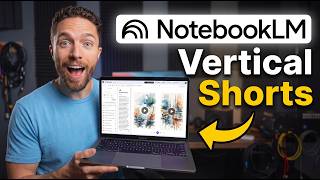
- Launched \"Short Video Overviews,\" a feature that creates 60-second, vertical videos explaining complex source materials.
- The feature is currently available to all web users in English.
- Mobile and web access is provided for Google AI Ultra and Pro subscribers, with availability for free users coming soon.
NotebookLM: Expansion of advanced model access
- The more powerful version of NotebookLM is now available to all Google AI Ultra subscribers worldwide.
NotebookLM: New Agentic Features and Model Upgrade
- NotebookLM now uses the Gemini 3.5 model for improved thinking processes and reasoning capabilities.
- Users can now access a secure cloud computer within each notebook that includes over 100 pre-installed software tools for data analysis.
- The platform has introduced agentic chat capabilities designed to handle complex, multi-step research tasks.
- New formatting options are now available for generated outputs.
- The NotebookLM integration within the Gemini app is now fully available to users in Europe.
User Reviews & Comments
Share Your Experience
No reviews yet. Be the first to share your experience!
Ready to try Gemini Notebook?
Join thousands of users who are already benefiting from this AI tool.
Get Started Now