 Open Source
AionUi
Open-source 24/7 Cowork app for OpenClaw, Hermes, Claude Code, Codex, OpenCode and 20+ more CLI A...

OpenCode is an open-source terminal-based AI coding agent that allows you to use any AI model.
OpenCode is an open-source AI coding agent built natively for the terminal. It provides a clean terminal user interface (TUI) and functions similarly to proprietary coding tools by understanding codebases, editing files, and running commands. As a free and open-source platform, it is designed to empower developers without locking them into a specific AI provider.
The tool is intentionally model-agnostic, enabling users to plug in Claude, OpenAI, Google, or even locally hosted LLMs. This flexibility is paired with multi-session support, which allows developers to manage multiple contexts simultaneously.
By operating entirely within the command line, OpenCode fits seamlessly into traditional developer workflows, offering a fast, highly responsive setup that focuses on assisting users without getting in the way.
No reviews yet. Be the first to share your experience!
Join thousands of users who are already benefiting from this AI tool.
Get Started Now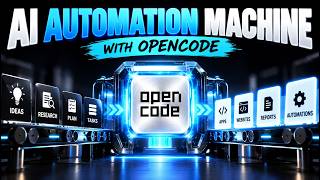
 Open Source
Open-source 24/7 Cowork app for OpenClaw, Hermes, Claude Code, Codex, OpenCode and 20+ more CLI A...
 Open Source
OpenCode is an open-source, provider-agnostic AI coding agent that offers LSP support.