Claude logo

Claude

A helpful and safe AI assistant by Anthropic, featuring advanced capabilities in coding, writing, and document analysis.

(0.0)
(0 reviews)

Categories

Coding Productivity Writing

Best For

Developers Enterprise General Use Writers

Pricing

Freemium

Platform

Web

Developer

Anthropic, PBC

Overall Rating

0.0
(0.0)
out of 5 stars

About Claude

Claude is a next-generation AI assistant developed by Anthropic, designed to be helpful, harmless, and honest. It operates via a web interface where users can converse with the Claude 3.5 Sonnet and Opus models, known for their nuanced understanding, natural writing style, and superior coding abilities.

The platform introduces 'Artifacts', a feature that allows Claude to generate standalone content like code snippets, documents, and website previews in a dedicated side panel. Users can also create 'Projects' to upload knowledge bases and set custom instructions, tailoring Claude's responses to specific contexts or codebases.

Key differentiators include its massive context window (up to 200k tokens), the ability to visualize code and designs instantly via Artifacts, and a strong emphasis on safety and steerability.


Key Features

  1. Artifacts: A dedicated window to view, edit, and run code or documents generated by Claude.,
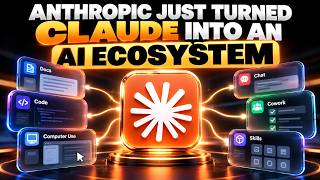
  2. Projects: Organize chats into workspaces with shared knowledge bases and custom instructions.,

  3. Claude 3.5 Sonnet: The default model offering a balance of speed and high intelligence.,
  4. Document Analysis: Ability to upload and analyze PDFs, text files, and images.,
  5. Team Plan: Centralized billing and shared projects for organizational collaboration.

Use Cases

  1. Writing creative content, essays, and professional emails.,
  2. analyzing large documents and summarizing key points.,
  3. generating and previewing frontend code (HTML/CSS/React) instantly.,
  4. debugging complex codebases using 'Projects' context.

How to Use

  1. Sign up at claude.ai using email or Google login.,
  2. Start a new chat and type your prompt or upload relevant files.,
  3. Enable 'Artifacts' in settings to view generated content in the side panel.,
  4. Upgrade to Claude Pro to access higher limits and the Opus model.

Pros

  1. Artifacts feature significantly improves the workflow for coding and content creation.,
  2. Large context window allows for processing entire books or large codebases.,
  3. Natural and human-like writing style.

Cons

  1. Free tier has relatively strict daily message limits.,
  2. No native internet browsing or image generation capability (unlike Gemini).

Tags

AI Chatbot Coding Assistant Data Analysis LLM Writing Assistant

Support & Contact

User Reviews & Comments

📊 AI-Generated Review Summary

No reviews yet. Be the first to share your experience!

Share Your Experience

No reviews yet. Be the first to share your experience!

Ready to try Claude?

Join thousands of users who are already benefiting from this AI tool.

Get Started Now

Enjoying this resource?

If you find this AI tools directory helpful, consider supporting its development!

Buy Me a Coffee

Your support helps keep this directory free and up-to-date ❤️